
Guide: preparation and recap
From the last decision to the next session.
Prepare a Session with your main notes close at hand. After the game, record what actually happened. You can write the entire workflow yourself; the optional Keeper can help read, transcribe and draft when you want him to.
1. Choose an unfinished thread
Choose a question from the previous session: Mira is still looking for the sea chart. Create a Quest or use an existing one. Record a few concrete tasks, such as asking Lio about the broken seal and checking the chart store.

2. Create the next Session
Open Sessions and create the next meeting. Add the real-life schedule when it is known. The in-world date is separate and should match your Realm’s calendar.
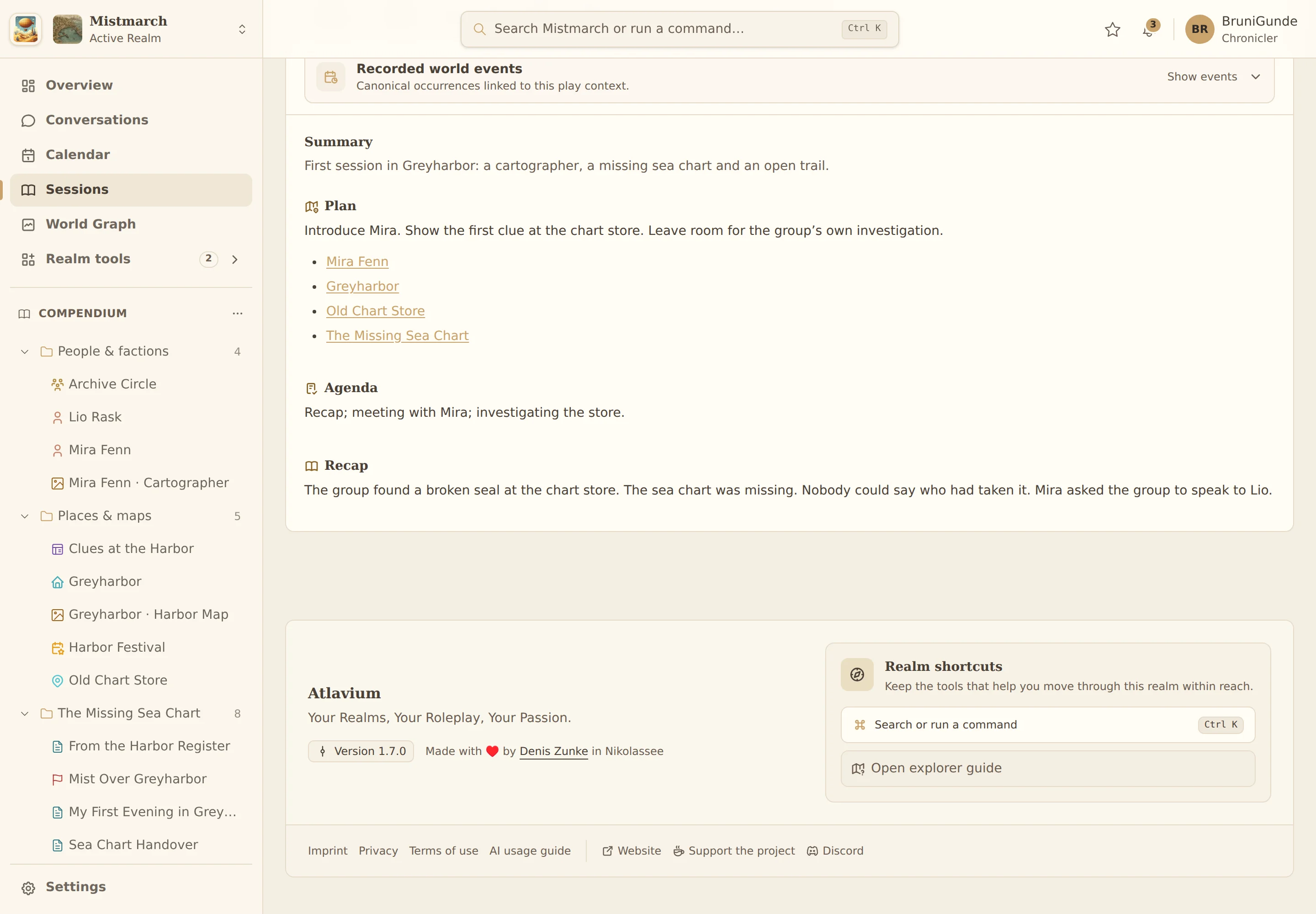
3. Keep the plan and agenda focused
Use the plan to describe possible situations. Use the agenda for points you want close at hand during play. Link Mira, Greyharbor and the Quest instead of copying their complete descriptions.
Link the Session to your Campaign and choose the Quests and tasks that matter for this evening. Tick completed tasks off right in the Session; the Session activity keeps the time of every change. For the evening itself there is Play mode: it keeps plan and recap in view and offers Look up, so you can find people, places and documents without leaving the Session.

4. Collect material after the game
Open the review flow for a past Session. Add your own text notes, photos of handwriting, PDFs or audio recordings. Files from the same game are together with that Session.
You can transcribe everything yourself. If you use the optional Keeper, images and PDFs consume AI credits; audio transcription uses the separate allowance for audio minutes.
New in Atlavium 1.9.0
5. Compare the transcription with the original
The Keeper can read text from a photo or PDF. Open each transcription beside the original, correct names and unclear passages, and confirm it only when you are satisfied. The Keeper excludes unreviewed files from the recap.
Text recognition (OCR) can make mistakes. The original is available while you review it. An unreadable marker tells you to look again instead of filling the gap with an invention.

6. Compare the recording and transcript
A short voice note after the game can capture decisions and open questions without typing everything straight away. Upload the recording as Session material and choose “Read files with Keeper” when you want a transcript. This uses your separate allowance for audio minutes.
The review screen lets you play the original recording and jump to a passage using its timestamps. Compare it with the editable transcript, paying particular attention to names such as Lio. Correct mistakes before choosing “Save review and continue”. Only the confirmed text becomes available to the Keeper for the recap.

7. Write the recap yourself or ask for a draft
Record what the group decided and learned. Distinguish unanswered questions from established information. Write the recap yourself or ask the Keeper to propose a draft from your notes and confirmed transcriptions.
Review the draft and its material before saving it. Only the recap you confirm becomes a dependable basis for the next steps.
8. Connect the consequences and prepare the next Session
If something important happened, create a World Event, record who was there and link the Session. Update Quest tasks only where the group actually made progress.
Before the next game, open the confirmed recap and your unfinished Quest. The optional Keeper can use them with the plan and agenda to draft the next preparation. That draft is a suggestion for you to review and edit.

From the example to your Realm
Continue in your own Realm.
Try the steps with your own characters and stories. You can return to the guide whenever you need it.