
Guide: content sharing
Share a handout with your group.
Want to give someone in your group a handout? Here I show you how to connect your accounts and share the content. The other person brings it into their own Realm.
1. Choose a manageable item
Choose a short handout you want to share. For a Page or Profile, check which fields are set to be shared. Make sure details meant only for you are left out.
2. Connect your accounts
Connect your accounts through a Fellowship. The other person also needs a Realm to bring the handout into. The handout’s link alone does not give them access.
3. Review the preview
Create the share and open its preview. The wizard shows which content belongs to the bundle, and you can add directly related items and voluntary additions. Check which texts, images and linked content it includes. For Pages and Profiles, review the individual fields too.

4. Choose copying or following
The other person chooses what to bring into their Realm. They can edit a copy independently. If they follow the content, they can also receive updates from you later.

5. Share updates
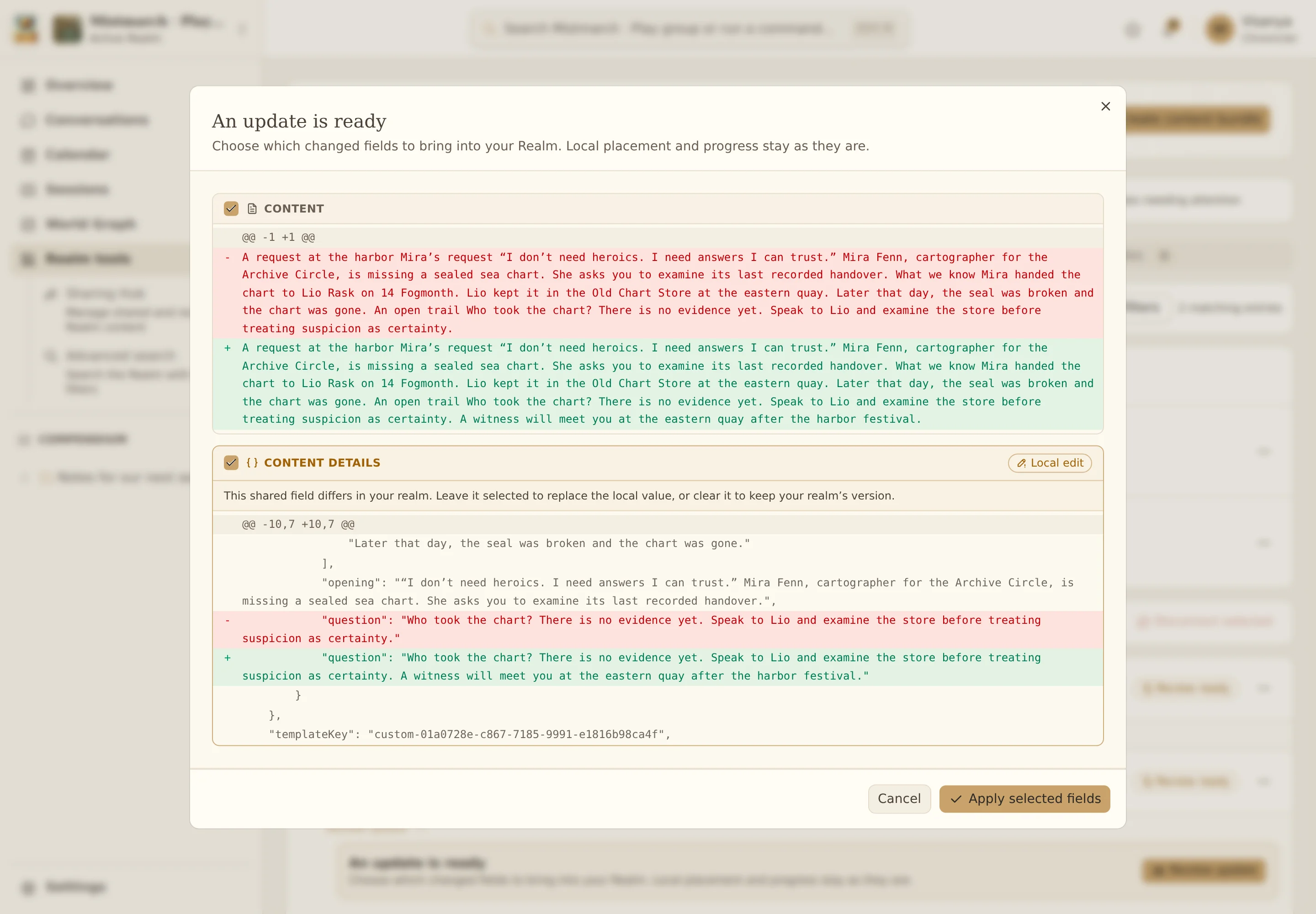
If the other person follows your handout, changes to its shared fields can appear as updates for them. They review the changes and choose what to accept. Their own details are separate.
6. Stop sharing
To stop further updates, remove the person’s access or end the Fellowship. Revoking an invitation link only stops new uses of that link. The handout they have already imported is in their Realm.
From the example to your Realm
Continue in your own Realm.
Try the steps with your own characters and stories. You can return to the guide whenever you need it.