
In an earlier version, still under the name Chronicle Keeper, I built an editor for Markdown. Not for myself, but for friends who use my software. I write this format almost fluently, and this entry was written in it as well. But not everyone does.
Back then I decided to let the Markdown format show: a toolbar that helps with formatting, plain text apart from that. It went surprisingly well. I received no complaints, and people accepted my decision.
Now I am turning that around again. This version is the tenth since the "final" release and brings a WYSIWYG text editor. You no longer write in the source; you see the result while you write. The Markdown view stays available for the raw version.
Why change it when everyone had settled in? Three more additions in this version need it: secret blocks, tables with layout and image editing with cut-outs. These things simply cannot be handled well in raw Markdown. I cannot expect that of anyone, least of all of myself.
Here is an example from my very own Atlavium:

Open the document at full size
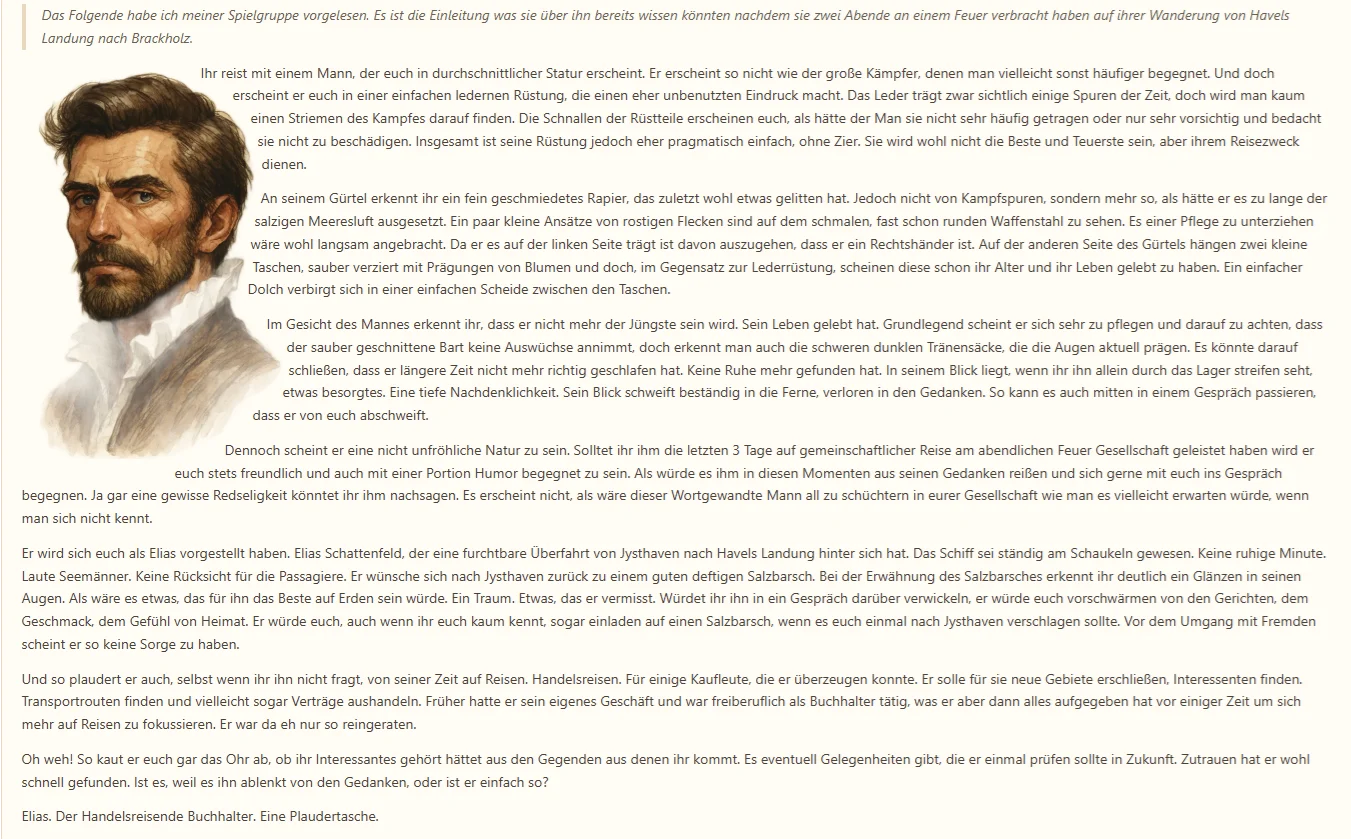
I think the change was worth it. The cut-out and the text flowing around the subject excite me in particular. Secret blocks hold back the passages that are not meant for your group yet. And tables are useful, for example, for a few stat blocks at the right edge of a document.
I hope you enjoy the new cosiness of the tools just as much. So let us get started with Atlavium 1.10.
New
- The formatted text editor: Every field that uses Markdown now starts in the formatted mode. You see the result right away; the Markdown view stays available for the source.
- Image editing inside your text: Crop embedded images, cut out the subject and adjust width, position and text wrapping. With a cut-out subject, the text follows its outlines. Your original image is kept.
- Secret blocks: Mark passages as secret. They are left out when you share through your Fellowship.
- Tables with layout: Place tables on their own line or let the text flow around them, choose position and width, and arrange rows and columns right in the editor.
- Page outline: For long texts, an outline shows you the headings of the document.
Fixes
- Uploading audio files could fail in the session recap.
- The Keeper suggests up to three follow-up questions after an answer again.
- Fast typing could break an input draft and block saving. Broken drafts are now recovered without losing your input.